Open-AudIT Feature
Network Security Dashboard.
Open‑AudIT's Network Security Dashboard gives you a real‑time view of what software, devices, and security settings exist across your environment—and whether each asset is inside or outside the compliant security posture that matters to your business. It surfaces non‑compliance at a glance and lets you drill into affected devices to expedite remediation.
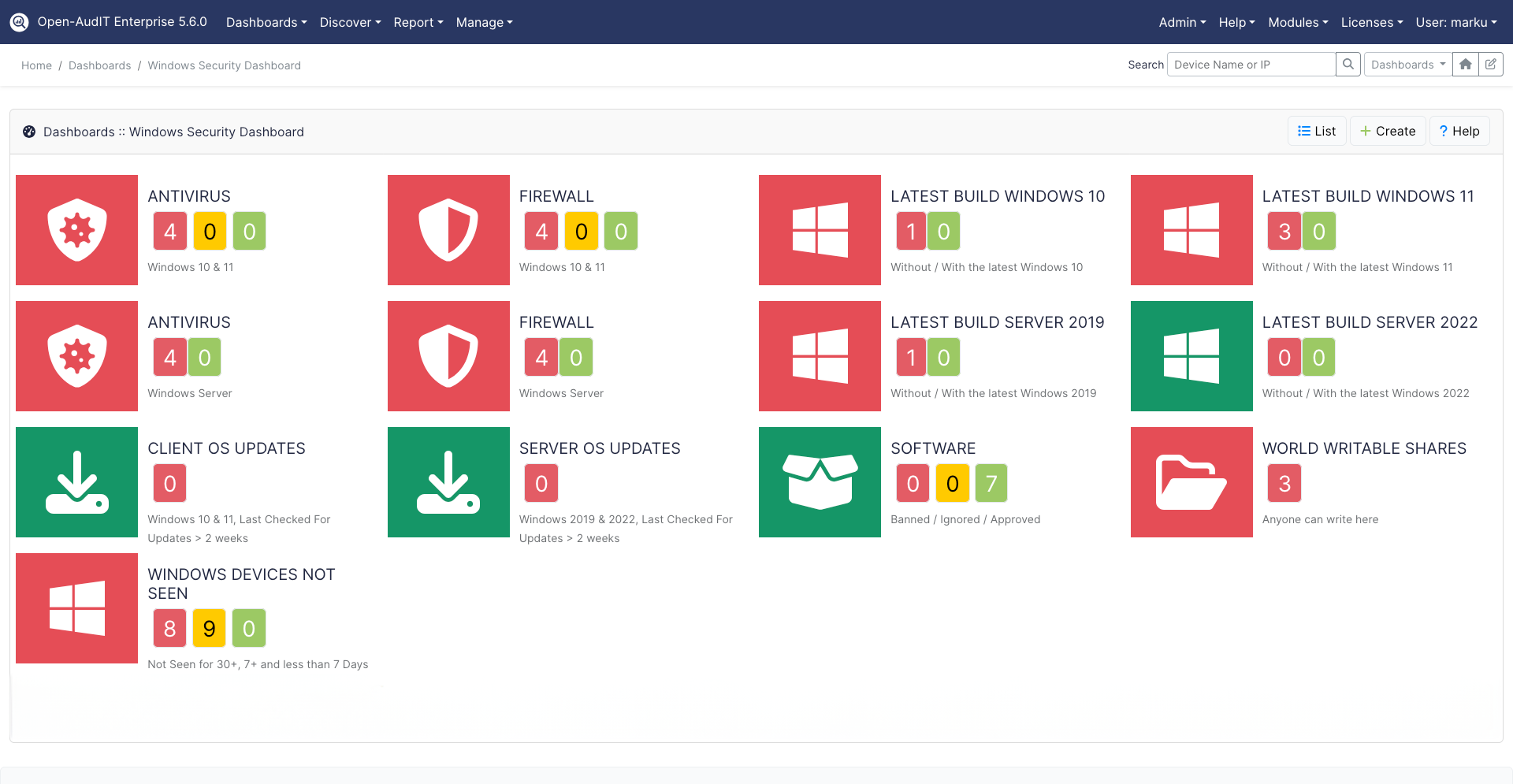
The Security Dashboard consolidates key posture indicators—such as antivirus and firewall status on Windows endpoints, approved/unauthorised software, and high‑risk configuration settings—so you can validate compliance quickly and continuously.
- Posture at a glance. See pass/fail summaries for critical controls across your fleet, with counts of affected devices and quick drill‑downs.
- Endpoint security visibility. Retrieve installed Antivirus and Firewall details from Windows clients to confirm protection and policy alignment.
- Compliance tracking. Monitor configuration baselines and flag deviations—such as unauthorised software, missing controls, or disabled services—to stay audit‑ready.
The Security Dashboard helps teams prioritise fixes by highlighting where posture drifts from policy, and by linking directly to the devices that require action.
How to use the Security Dashboard
Using the Benchmarks feature is simple:
- Navigate to the Security Dashboard in Open‑AudIT.
- Choose the posture widgets and rules you care about (e.g., Antivirus/Firewall status, unauthorised packages).
- Review pass/fail counts and click any widget to drill into the exact non‑compliant devices.
- Export or schedule reports to share compliance status with stakeholders.
"Open‑AudIT's Security Dashboard makes posture visible in minutes. It turns inventory data into actionable compliance views, so teams can move straight from finding gaps to fixing them."

Learn more
To explore the Network Security Dashboard and other Open‑AudIT capabilities, visit the product page or download the latest data sheet. You can also review the Open‑AudIT Data Sheet (PDF).
New to Open-AudIT?
You can download the latest version of Open‑AudIT here.