Open-AudIT Feature
Know exactly where you stand against CIS, Essential Eight, and DISA-STIG.
Open-AudIT's Benchmarks feature automatically checks every discovered device against industry-recognised security configuration standards — CIS Benchmarks, the Australian Essential Eight, and DISA-STIG — and shows you a clear pass/fail result for every control. No manual checklists. No spreadsheets. Just an auditor-ready compliance picture of your entire environment.
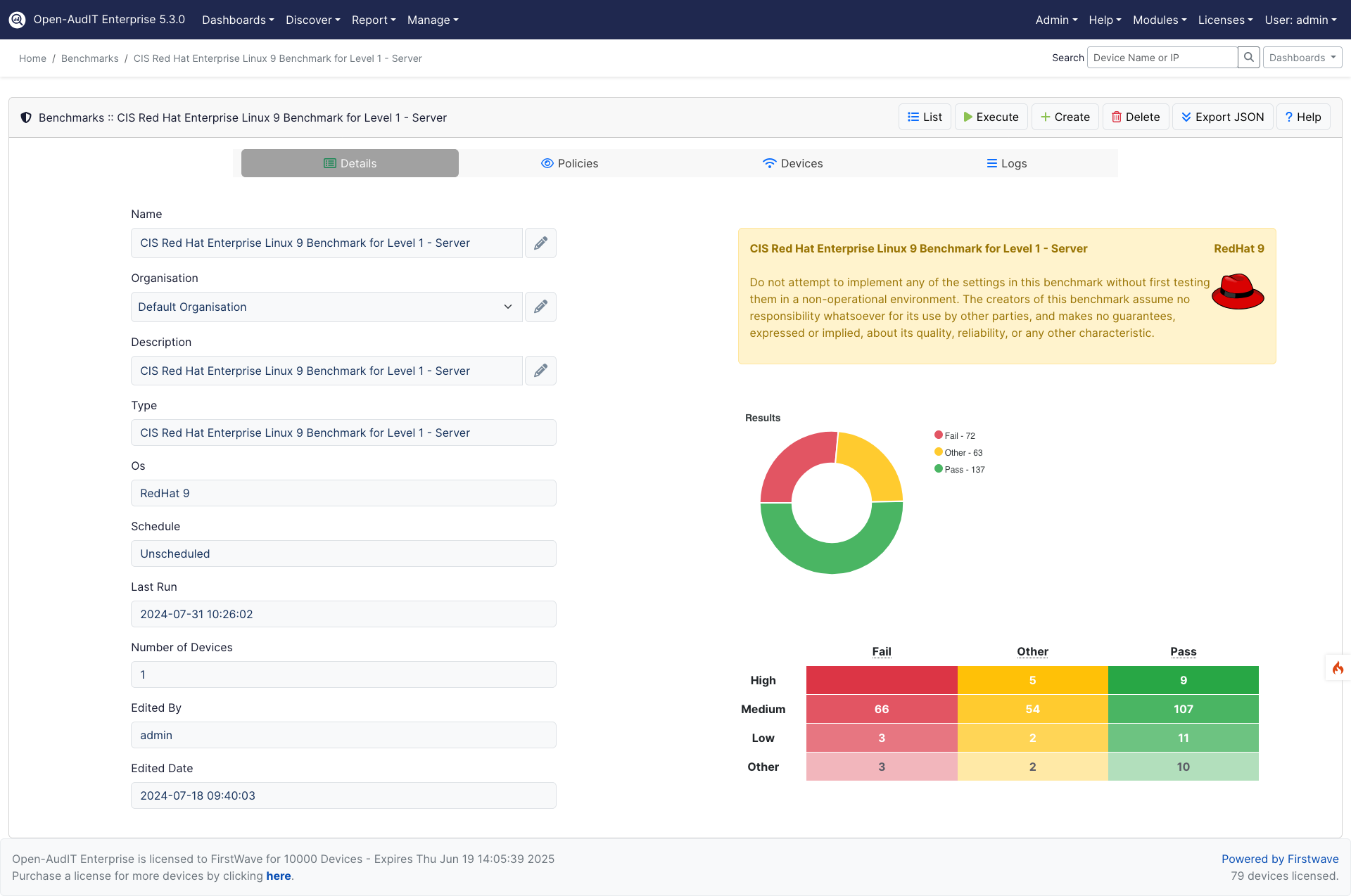
Security benchmarks in Open-AudIT compare your live device configurations against the controls defined in frameworks like CIS Benchmarks, ACSC Essential Eight, and DISA-STIG. Every device is checked automatically — so you always have an accurate, up-to-date view of where your environment meets the standard and where it falls short.
- Know your posture before your auditor does. See exactly which devices fail which controls — and drill directly into the affected device to understand the gap and plan remediation.
- Benchmark against the standards that matter. Open-AudIT supports CIS Benchmarks (Windows, Linux, network devices), ACSC Essential Eight, and DISA-STIG — the frameworks regulators, auditors, and procurement requirements reference most.
- Turn results into audit evidence instantly. Export pass/fail results per device, per control, per framework. Schedule benchmarks to run automatically so your compliance data is never stale when an auditor calls.
Benchmark results are stored historically so you can track posture improvement over time and demonstrate continuous progress to leadership, auditors, and board-level stakeholders — not just a point-in-time snapshot.
How to run a Security Benchmark
Running a security benchmark in Open-AudIT takes minutes:
- Navigate to the Benchmarks section in Open-AudIT.
- Select the framework you want to assess against — CIS, Essential Eight, DISA-STIG, or a custom policy.
- Review the pass/fail results per device and per control. Click any result to drill into the specific device configuration.
- Export or schedule the benchmark report to share compliance status with your team, auditors, or leadership.
"Open-AudIT's Benchmarks feature turns what used to be a weeks-long manual audit into a scheduled task. We run it weekly, export the results, and walk into every compliance review with evidence already prepared."

Learn more
To explore more about Open-AudIT Security Benchmarks, visit the official documentation.
New to Open-AudIT?
You can download the latest version of Open-AudIT here.